
Ferrite’s reference applications are complete Rust crates deployed from source that combine multiple platform primitives inside one product. Their source is not published as a public starter repo; start here to see how to scaffold a similar application and which primitives and source packages carry each production pattern.
Build something similar
Scaffold a project with ferrite new: alloy for an HTML application, hello
for a request-and-reply API, or webapp for a content route paired with an API
and a live page. Add shared functionality with ferrite add; the
Packages page lists every published package and what
it installs.
If you work through an agent connected to Ferrite’s MCP server, call
read_docs {"doc": "page-app-starter"} to fetch a complete, single-file web
app (Cargo.toml, ferrite.json, and src/main.rs) with a form and a
store-backed counter. Copy and adapt it for small web apps such as a poll, a
sign-up sheet, or a guestbook.
Read your ferrite.json as the complete boundary of what your code can reach:
it declares every service binding, public route, forwarded header, egress
destination, and compute limit. The runtime injects handles for those resources
and no others, while secrets are configured separately and delivered at deploy.
Serve a website
Running ferrite new webapp my-app creates an editable site/index.html and a
public content route. Before every check, test, build, and deploy, the CLI
syncs site/index.html into a gate-safe Rust module (src/__ferrite_site.rs).
When the app starts, it publishes index.html through its site Blob binding;
include any additional static files explicitly in Rust or publish them into Blob
storage.
ferrite new webapp my-app --with-tests
cd my-app
ferrite dev
Save site/index.html to update the served page and refresh the browser. Save
a Rust file to recompile and restart the process while local Store, Queue,
Stream, Transaction, and Object Storage state stays intact. On deploy, the same
assets travel inside the attested source image with no external bucket, upload
command, or CDN configuration.
Generic service names resolve through Ferrite’s per-app backing pool. Two apps
can both declare a site or state binding without sharing keys, messages, or
objects. Reach for a fixed cross-app service mapping only when multiple
applications intentionally share one resource.
Real-world reference apps
| App | What it covers | Ferrite features |
|---|---|---|
ferrite-demo-shop | Catalog, cart, guarded inventory, guest orders, and per-order manage links | Transactions, Store, Queue, webhooks, egress, secrets, route limits, agent-ready (llms.txt, MCP server, and A2A agent card for customers’ assistants) |
ferrite-booking | Slot holds, compare-and-set seat ledger, customer manage links, staff sign-in via ferrite-sso, waitlist, reminder intents, and public and staff agent tools | Store, Transactions, Queue ingress, Object Storage, operator single sign-on, route limits, MCP |
ferrite-helpdesk | Multi-tenant tickets, requester and agent roles, internal notes isolated from customers, SLA deadlines, signed inbound-email webhook, PII-redacted AI drafts, and an audit chain | Store, Transactions, Queue, signed webhooks, optional direct OpenAI egress, route limits, MCP |
ferrite-evidence-vault | Evidence intake, integrity hashes, retention, legal holds, SSO-derived roles, review queue, and audit trail | Store, Transactions, Queue (including an SSE stream route), Object Storage, egress, signed assertions, route limits, MCP |
The route limits in these apps come from the http-route-budget package, which
checks each incoming request against its route’s token bucket before the
handler runs. None of them declares rate_limit_per_min in ferrite.json.
Ferrite Cloud does not enforce rate_limit_per_min at the gateway, so
ferrite deploy and ferrite cost hold any manifest that includes the key and
explain why. Leave the key in place if an existing manifest declares it, and do
not submit through raw deploy_source to bypass the hold. See
Rate limits for the hold rules and how to bound a
route with http-route-budget.
Framework demo apps
Reference implementations ship for Alloy, Rsx, and TanStack Start:
| Framework | Demo applications |
|---|---|
| Alloy | acme (commerce storefront with Google and GitHub sign-in), alloy-showcase (feature tour), alloy-drop (social feed), the Next.js ports beats, dropfeed, flow, and huddle, and alloy-crm, alloy-inventory, alloy-ledger, and alloy-tracker |
| Rsx | rsx-beats, rsx-drop, rsx-huddle, and rsx-flow |
| TanStack Start | fe-start-demo, fe-start-guestbook, fe-start-journal, fe-start-launch, fe-start-lockbox, fe-start-metrics, and fe-start-ticker |
Platform apps
| App or service | Role |
|---|---|
| Customer Dashboard | Served by a resident Ferrite service alongside the MCP endpoint that owns its browser API and sessions |
| AI Gateway | Resident platform service configured with the installation; not deployed as a user application |
ferrite-agents | Reference application for the Agent SDK. Declares two in-app agents whose conversations live in the app’s own storage and whose reach is bounded by ferrite.json, served over the JSON agents API, MCP, ACP, and A2A. Calls OpenAI’s Responses API through an egress grant restricted to https://api.openai.com/v1/ with the provider key in an app secret |
ferrite-workflows | Internal workflow engine for private long-running steps. Separate deployments cannot call it because Ferrite does not admit a private dependency between two deployed apps; compose application workflows with queues and transactions as described in Workflows |
ferrite-worker-app | Constrained code-mode service that runs JavaScript and TypeScript snippets for agent apps on a QuickJS interpreter compiled for the in-app WebAssembly runtime as a private request/reply service |
fe-plan-studio, fe-taskboard, buzz | Reference apps that exercise collaboration, protocol, and agent runtime patterns |
Hosted demonstrations
Ferrite runs several of these apps under its own account, including Acme at acme.ferrite.cloud. Account features on hosted demonstrations require sign-in.
Selected examples
These captures show five of the reference applications running with sample data.
Shop
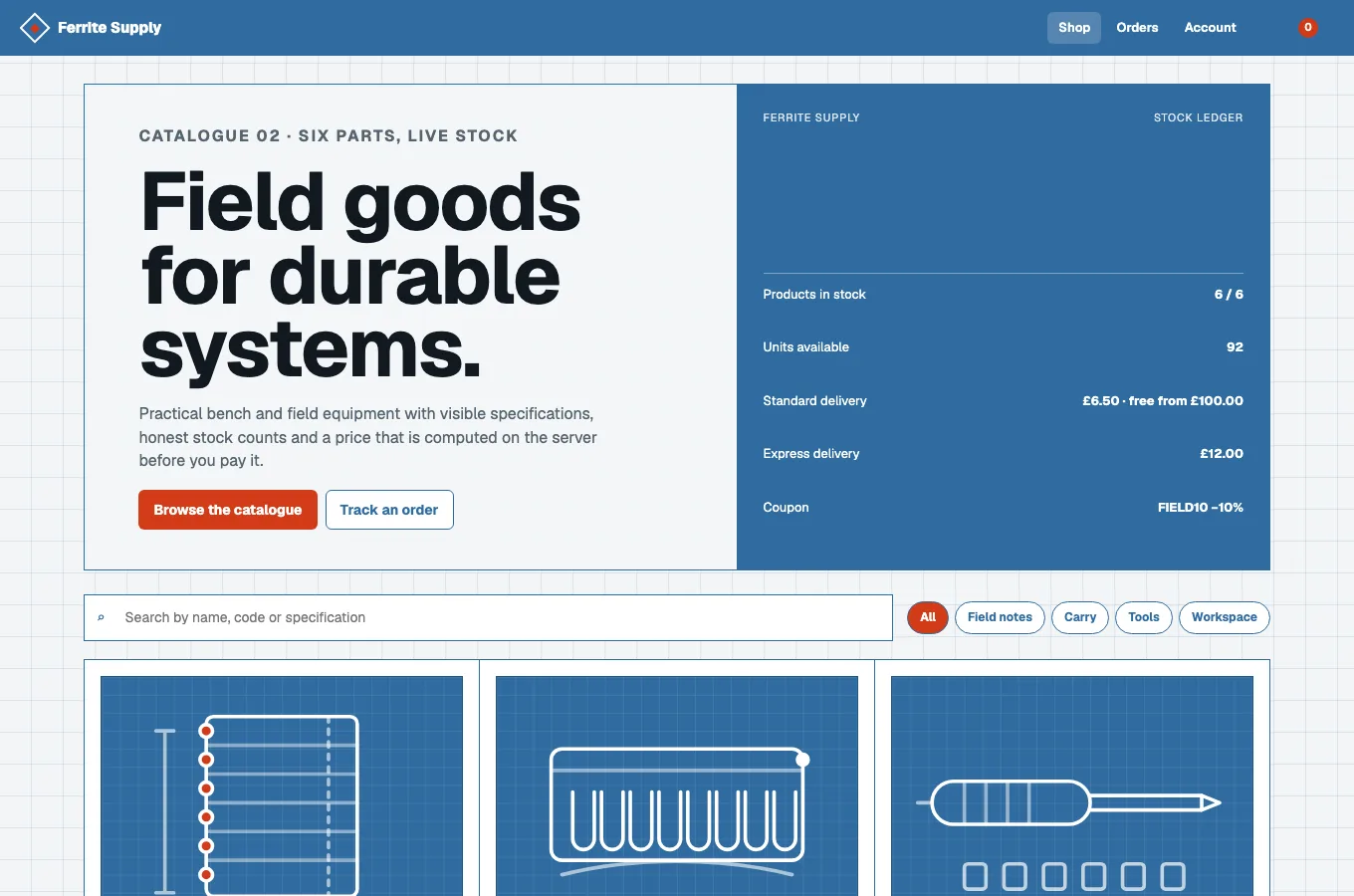
Shop runs as Ferrite Supply. It implements catalog search, a persistent cart, server-calculated totals, guarded stock, and guest orders accessed through per-order manage links. Customers never sign in, and signing in to any Ferrite host grants neither customer nor administrator authority in the shop. Stripe checkout and transactional email run over declared egress handles when their secrets are configured.
Yoga
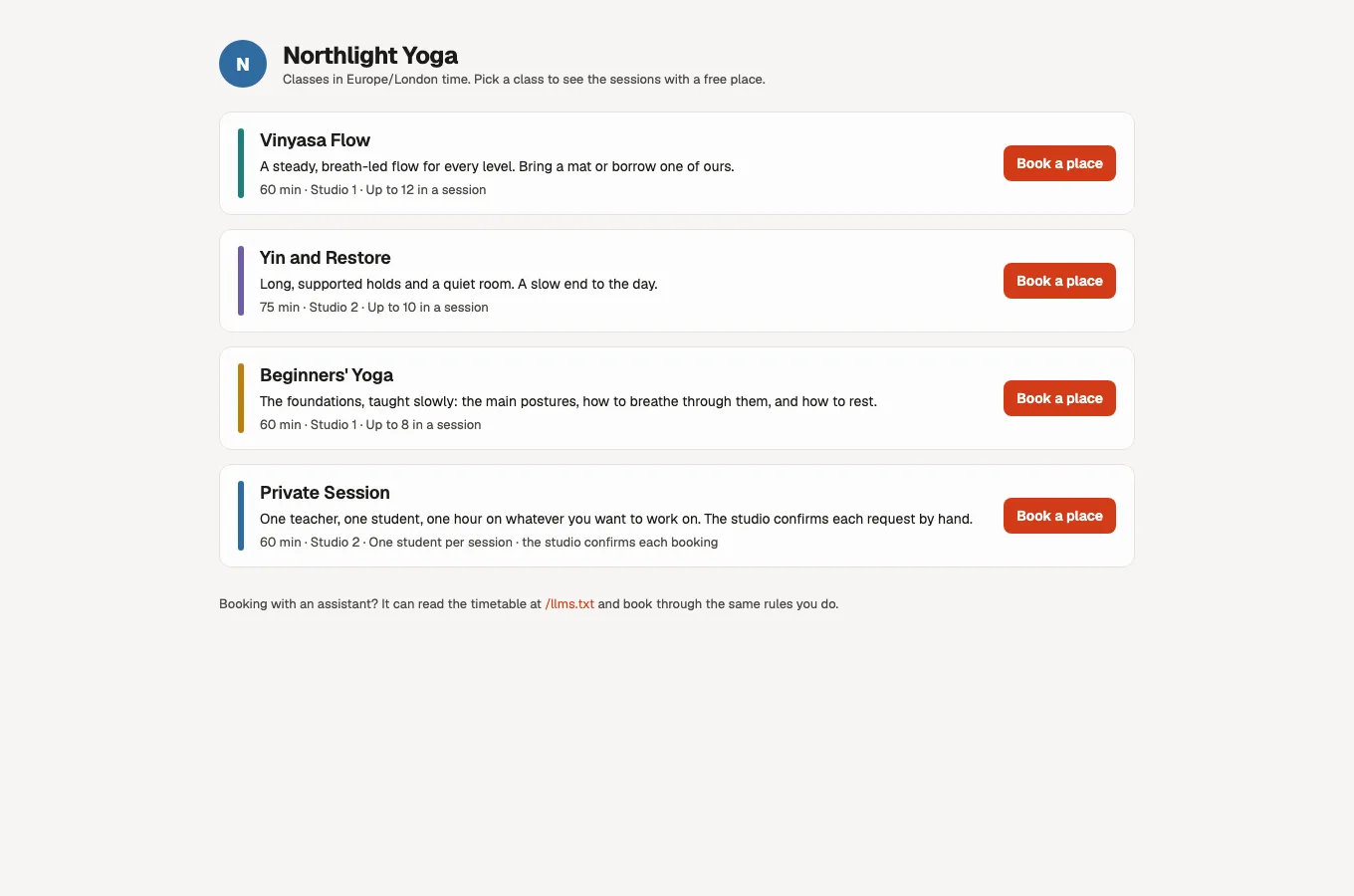
Northlight Yoga implements class discovery, expiring holds, booking, cancellation, and staff-only operations. Human customers and external agents run through the exact same booking rules, and making a booking involves no model call.
Acme Store
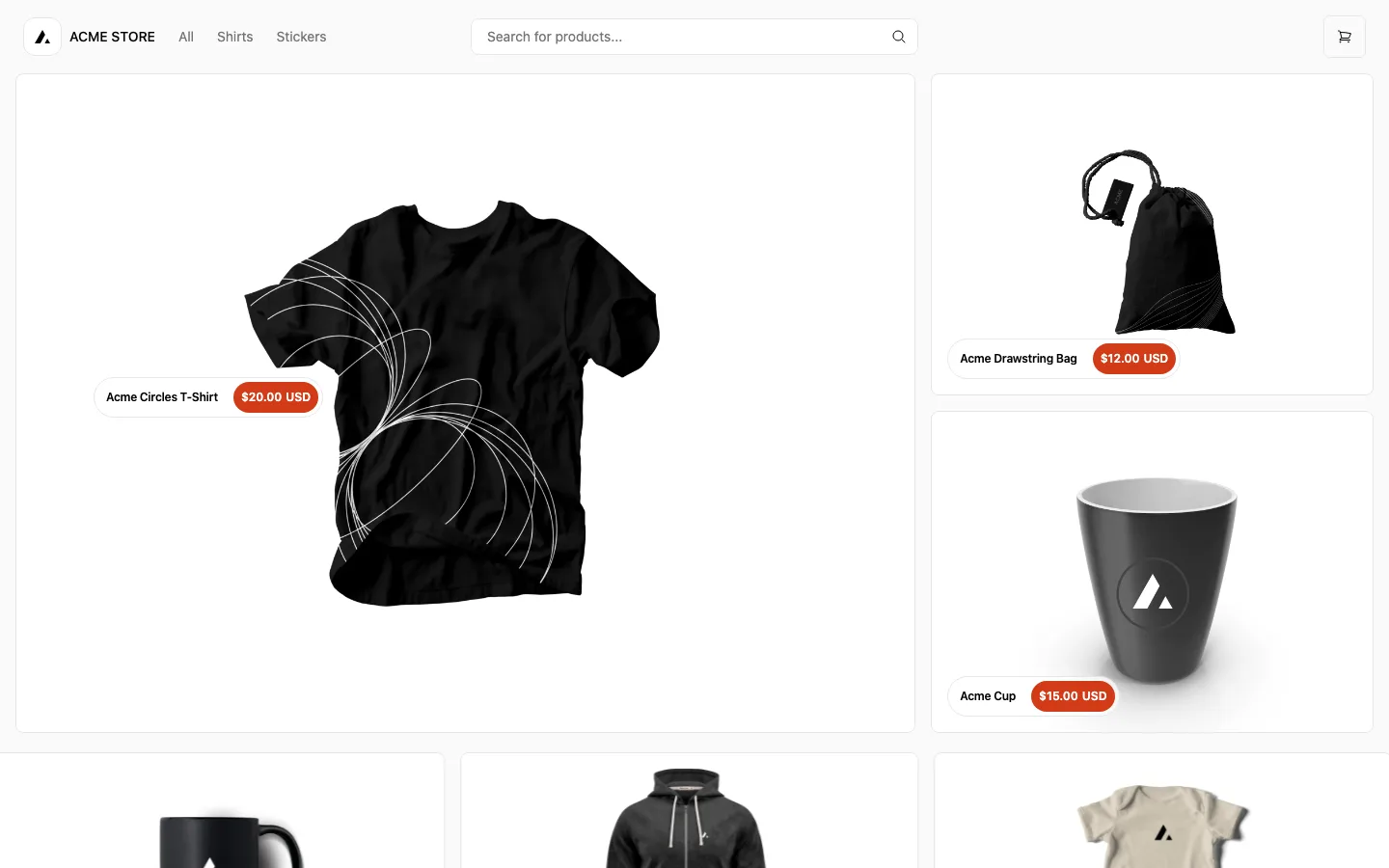
Acme combines product search, collections, variants, cart persistence, and sandbox checkout in an Alloy storefront.
NextBooks
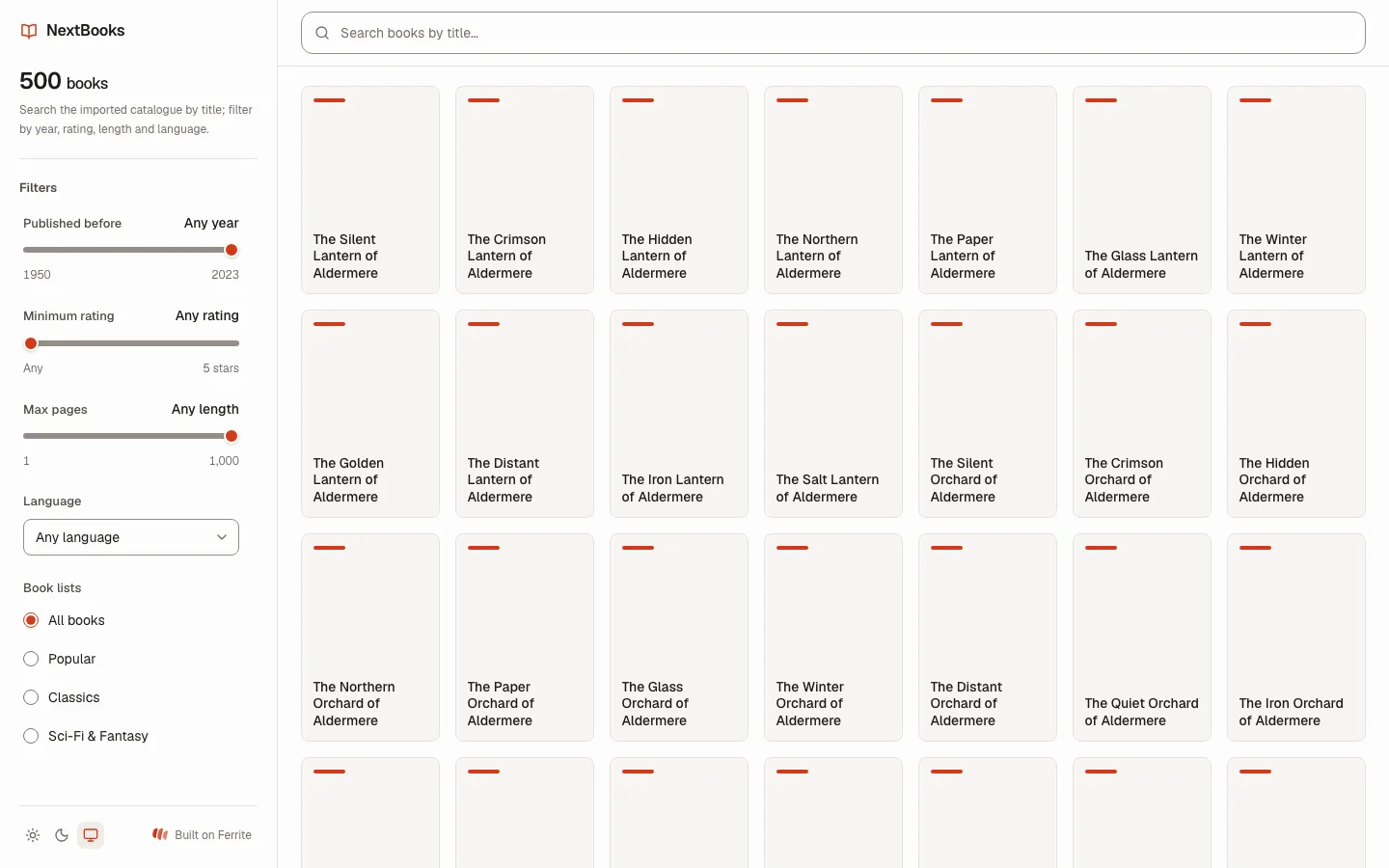
NextBooks implements title search, URL-based filters, pagination, detail pages,
and responsive layouts, with no reader accounts or model calls. This capture
shows a 500-book sample catalog. A fresh deployment starts empty; the full UCSD
Goodreads book graph (about 1.38 million browsable books) loads through the
importer over the app’s /__import/ route, protected by the import_token
secret.
Plan Studio
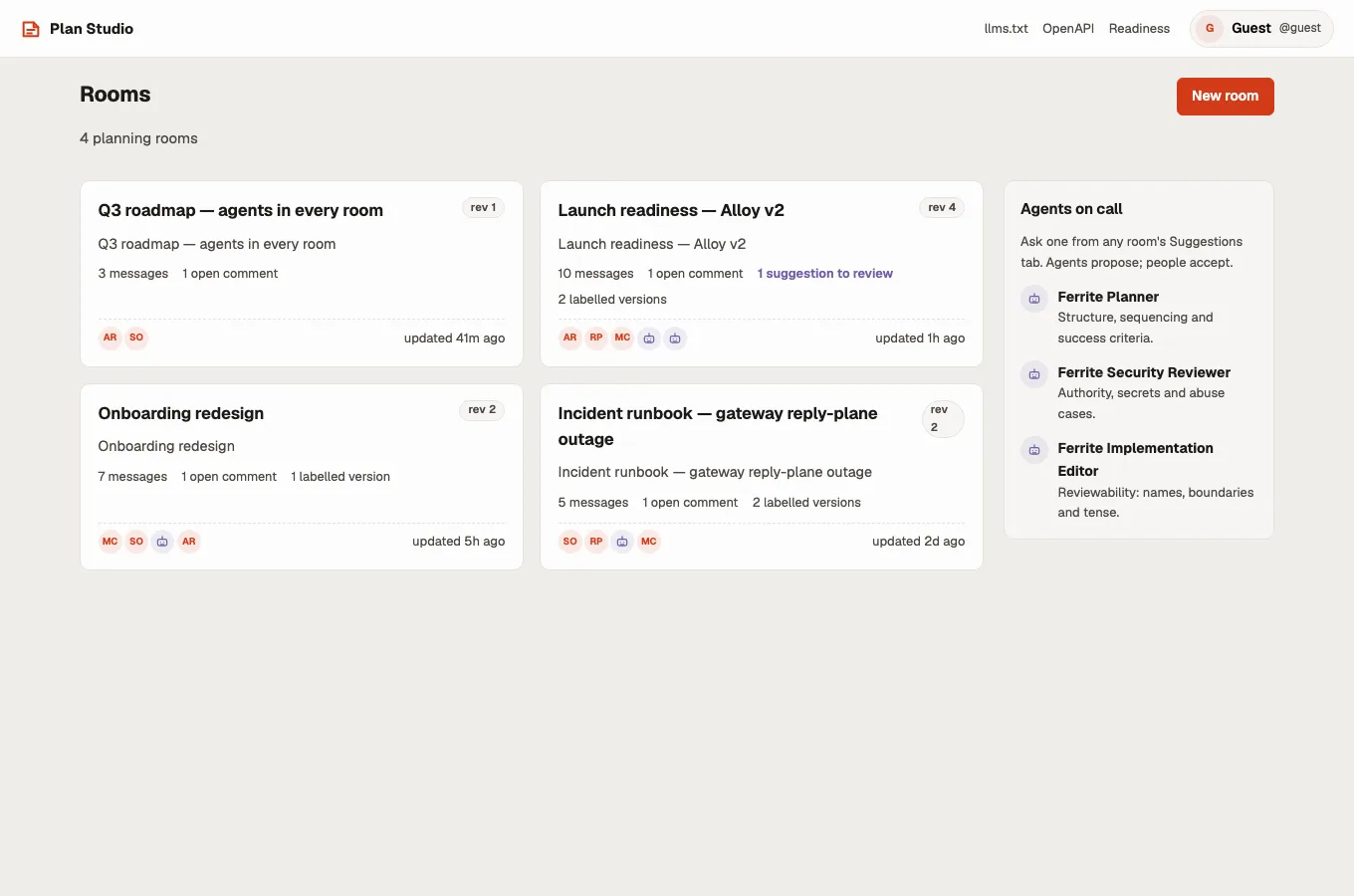
This workspace app manages rooms, drafts, comments, revision history, and reviewable suggestions. Accepting a suggestion checks the observed revision before appending a change. Its built-in reviewers run deterministic templates with no AI provider call, while external agents invoke its declared operations directly.
What not to copy
The staff-authenticated reference applications (ferrite-booking,
ferrite-helpdesk, and ferrite-evidence-vault) sign staff in through
ferrite-sso, which connects properties run by one operator to that operator’s
sign-in broker with a shared key. Do not copy ferrite-sso for an unrelated
application; sign your own users in with the
auth package instead.
Align tenant and role checks with your own product rules. Never reuse fixture credentials, development secrets, or hardcoded origins, and verify your own critical user journeys before shipping.
Continue with Samples for primitive-level patterns or
Packages for the source modules you can install with
ferrite add.